Track snaps together by itself
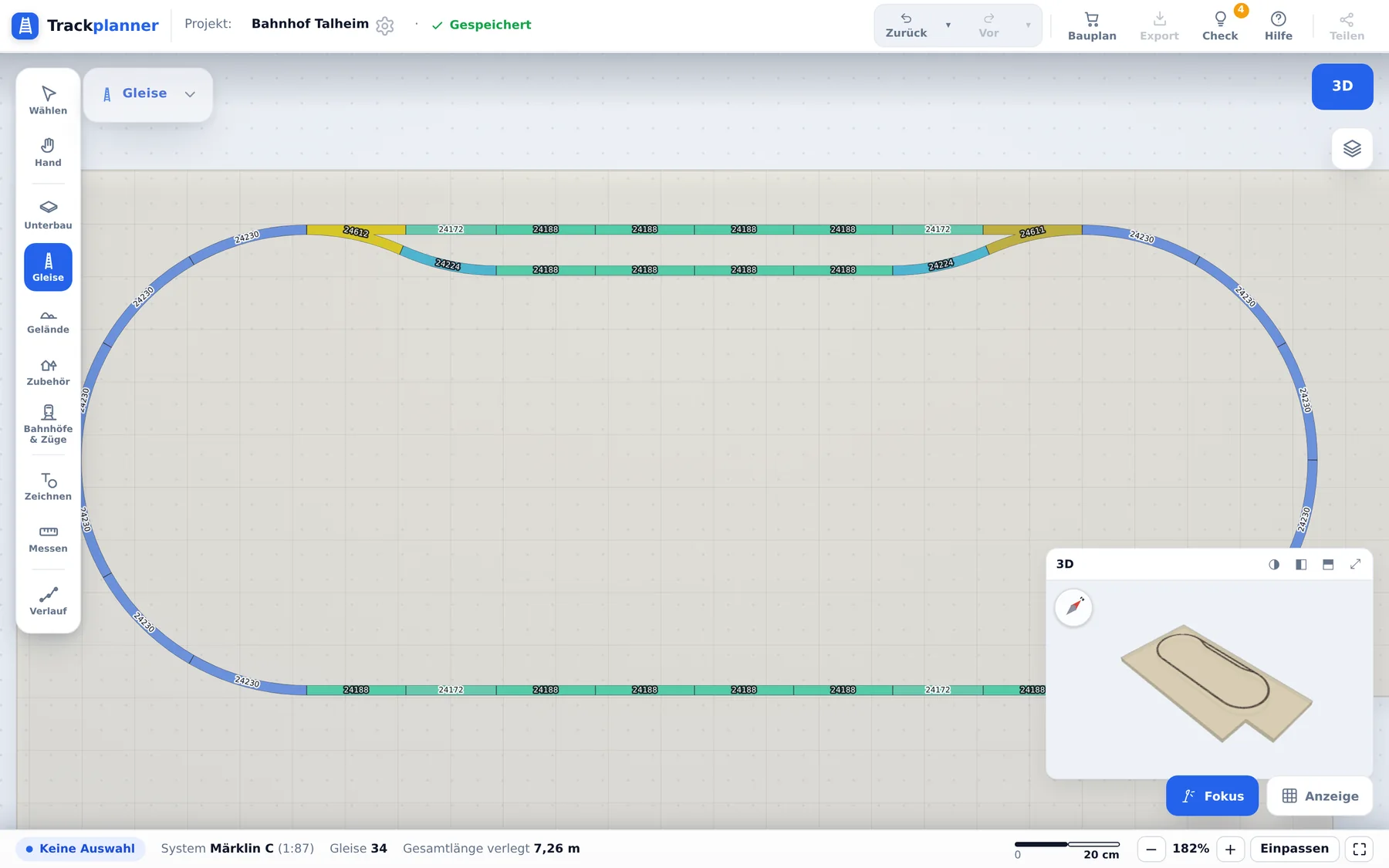
Push a piece towards an open end and it docks, angle and position calculated for you. Nobody types coordinates here.
Drag track from the manufacturer catalogue. It snaps together on its own while the app works out angles, radii and material.
As featured in: Computer Bild, MIBA digital
More than laying track. The plan carries heights, landscape, trains (soon) and, at the end, the shopping list.
Push a piece towards an open end and it docks, angle and position calculated for you. Nobody types coordinates here.
Select your oval and pull it longer by a stretch handle. Trackplanner fills the straights with matching catalogue pieces, so there is no rebuilding piece by piece.
Tell the app what runs on your layout. Usable lengths and radii are checked against those trains, not against a norm.
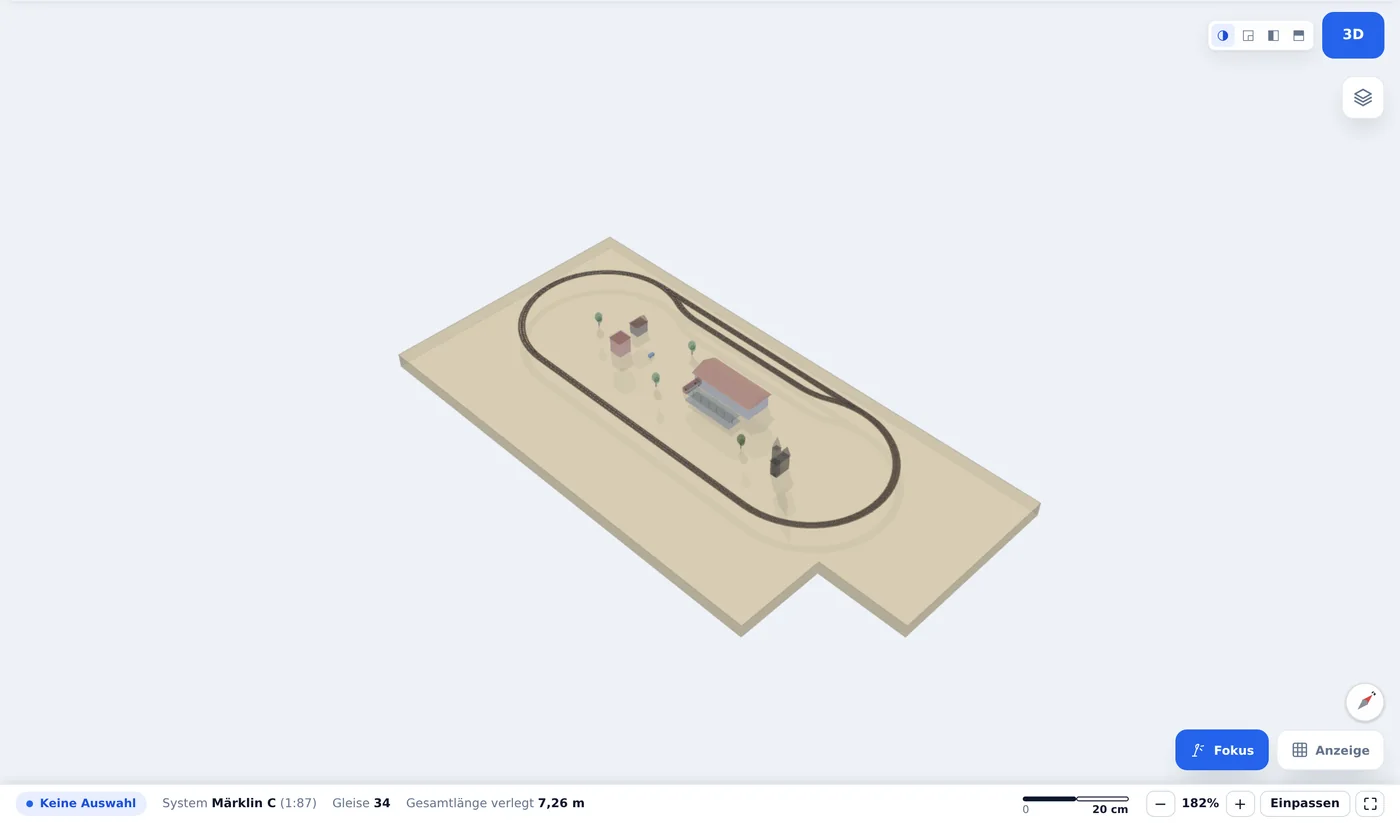
Every change appears in both views at once. Buildings, trees and vehicles come from the scenery library.
The alignment carries heights. Drop shadows and supports show in plain 2D what runs above and what passes underneath.
Raise, lower, flatten. Contours and relief follow along, hollows fill with water, tunnels are derived automatically.
Four steps that stay connected inside the app. No switching to another program.
Track from your own manufacturer catalogue, with article numbers for the parts list and the basket.
The plan check reports what will bite you once trains run.
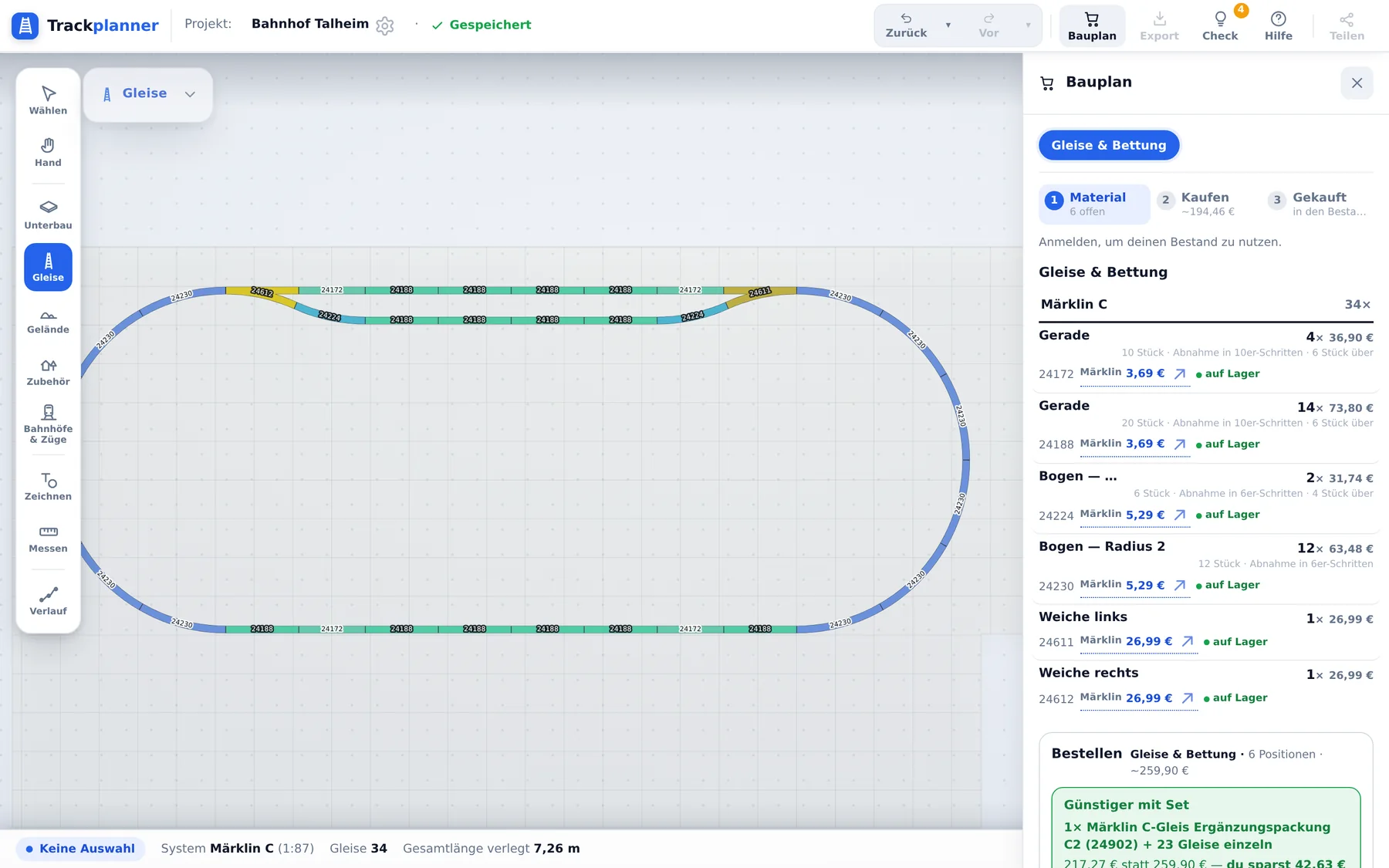
The build plan turns into a parts list, with prices and pack sizes.
Print at 1:1, lay it on the board, put the track on top.
Launched on Thursday, 1 October 2026
Trackplanner is live! 🎉 Start planning
18 months of Premium for the price of 12
The waitlist closed at launch. If you’re on it and confirmed your signup, you get the founding-member perk: create your account with the same email address, grab annual Premium (€29) by 29 November and get 6 months free: 18 months instead of 12. Everyone else starts for free.
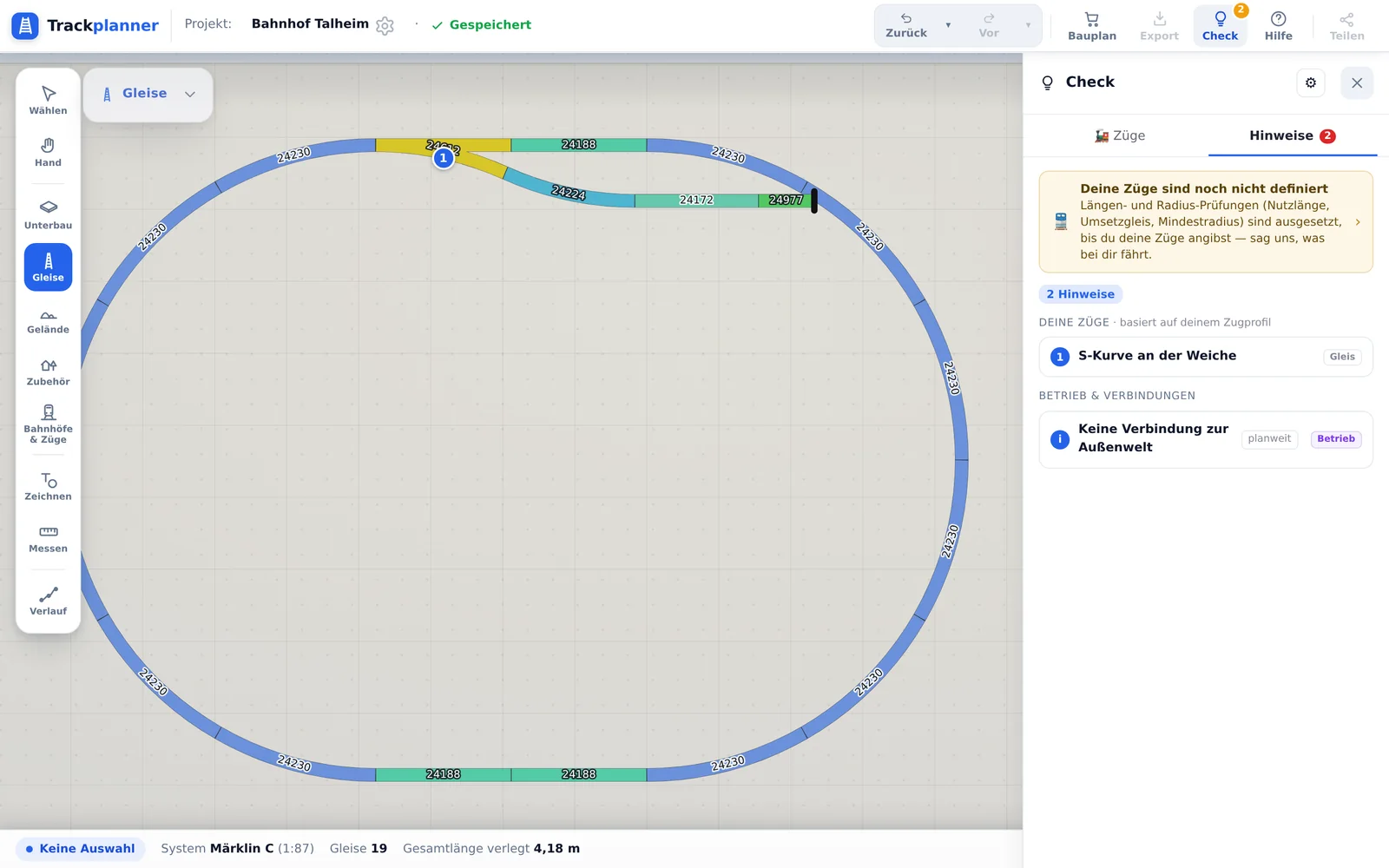
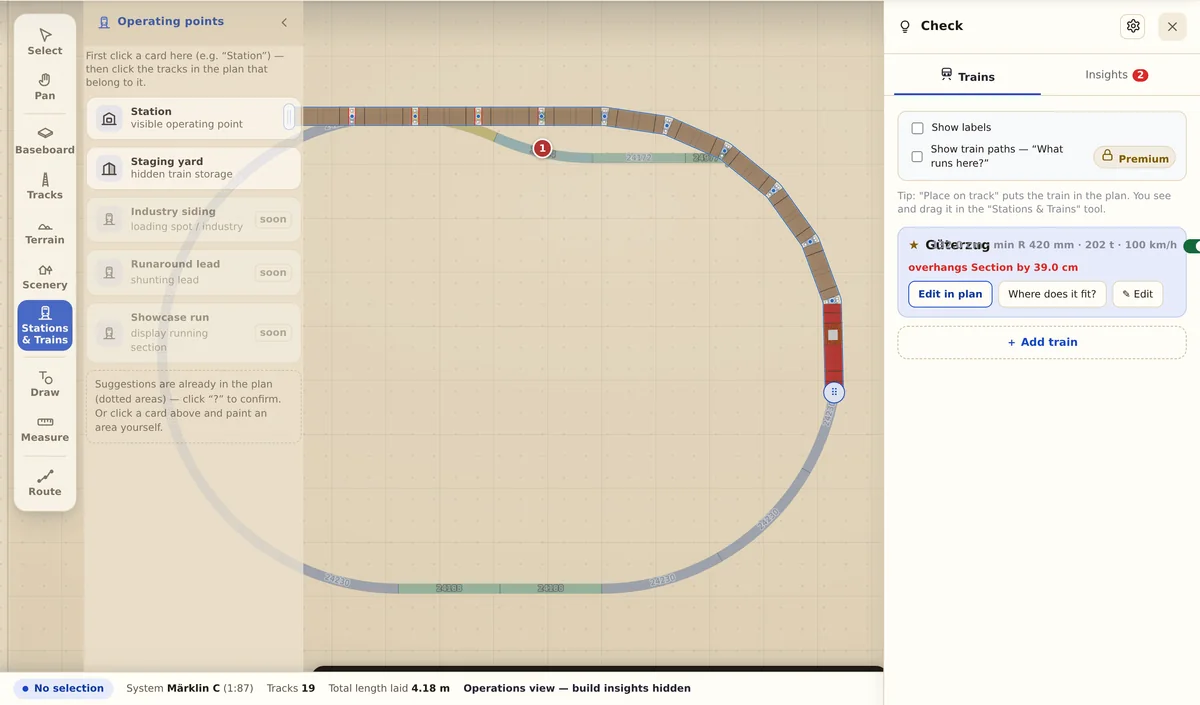
Anyone spots an open end. The expensive mistakes hide in radii, usable lengths (soon) and gradients. Every insight names the spot and the reason.
Old plans stay readable, and new ones leave the app in the format you keep working in.
The import checks the geometry and reports whatever could not be matched unambiguously.
1:1 print, cutting file and high-resolution image export are part of Premium.
Browse public track plans, take inspiration, then start your own.
From Märklin to Peco, from Z gauge to the garden railway. Radii, angles and article numbers from the manufacturers' catalogues.
Your system missing? Write to us.
The full editor and every track library are free. Premium adds output, landscape and control.
Tip: pay only for the building season. Cancel monthly.
You build the whole track plan for free, with no quantity caps. Premium unlocks heights, scenery, the calculating assistants and the output formats.
| Feature | Free | Premium |
|---|---|---|
| Precision analysis: stock profile (soon), S-curves, edge clearance | not included | included with the exact spot |
| Fix proposals | included simple fixes | included all in one click |
| Heights, ramps, gradients | not included | included edit freely |
| Multiple levels and helixes | not included | included create and insert |
| Place scenery and landscape | not included | included drop it into the plan |
| Parallel strands | not included | included create |
| Explore train paths (soon) | not included | included from the selected train |
| 3D view | included orbitable window | included full screen and split |
| Image export | included watermarked, 1200 px | included clean, up to 8000 px |
| 1:1 print as PDF and DXF for the router | not included | included |
| Share privately or unlisted, invite people | not included | included |
| Build along on someone else's plan | not included view | included build along |
| Time travel through earlier states | not included already recorded | included view and return |
A teenage project that Computer Bild and MIBA digital wrote about back then is becoming a modern tool. Over 20 years of model railway experience sit in this software.
„Twenty years ago I built the program because nothing like it existed. Today I am rebuilding it because I want my children to use it.“
Georg Wächter, founder and developer
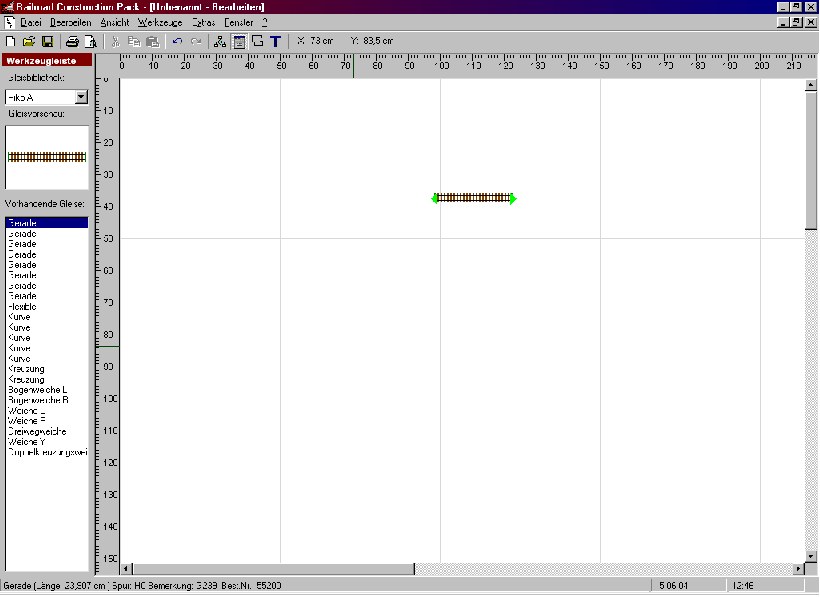
On the left the original app „Railroad Construction Pack“ from 2004, on the right today's editor in the browser.
Guides, news and model railway know-how.
We actually built the same layout — oval, passing siding, stabling siding — in five H0 systems and costed it at current prices. Between cheapest and dearest lies €51.
Know-how · July 5, 2026Almost every layout trips over the same traps — usually long before the first track is laid.
Free, in the browser, nothing to install. Your first oval takes ten minutes.