For AnyRail, WinTrack & XtrkCAD planners
Show your layout. Interactive, by link, for good.
Your track plan sits in a file on your PC — and you post screenshots to the forum? Import it into Trackplanner: anyone with the link can zoom, measure and read the parts list. No installation, and no account for viewers.
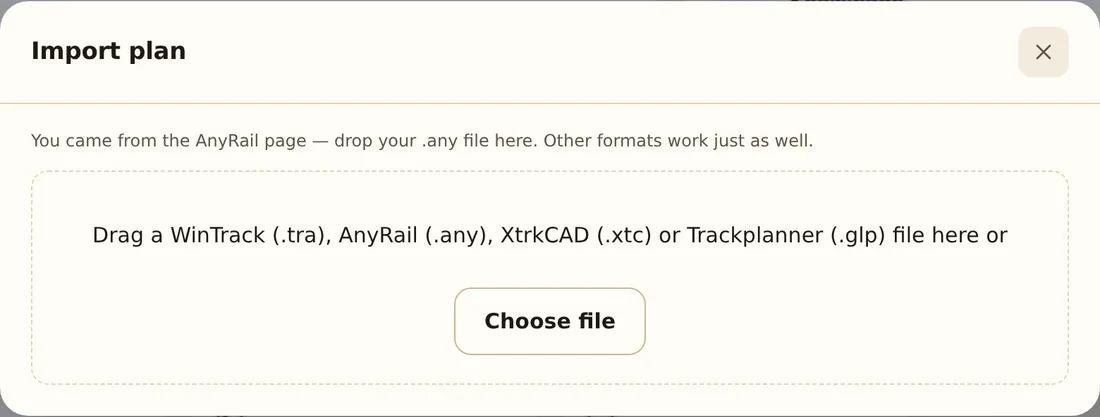
Try it right here: drop your file into the preview — within seconds you’ll see your layout and what the plan check finds. No account needed.
Live examples
This is what a shared plan looks like
Real plans, no mock-ups — click in, zoom, open the parts list.
Preview unavailable — open the plan
Preview unavailable — open the plan
How it works
From file to link — in three steps
The import reads your original file and rebuilds the plan with exact manufacturer geometry — from 63 track systems.
-
Import the file
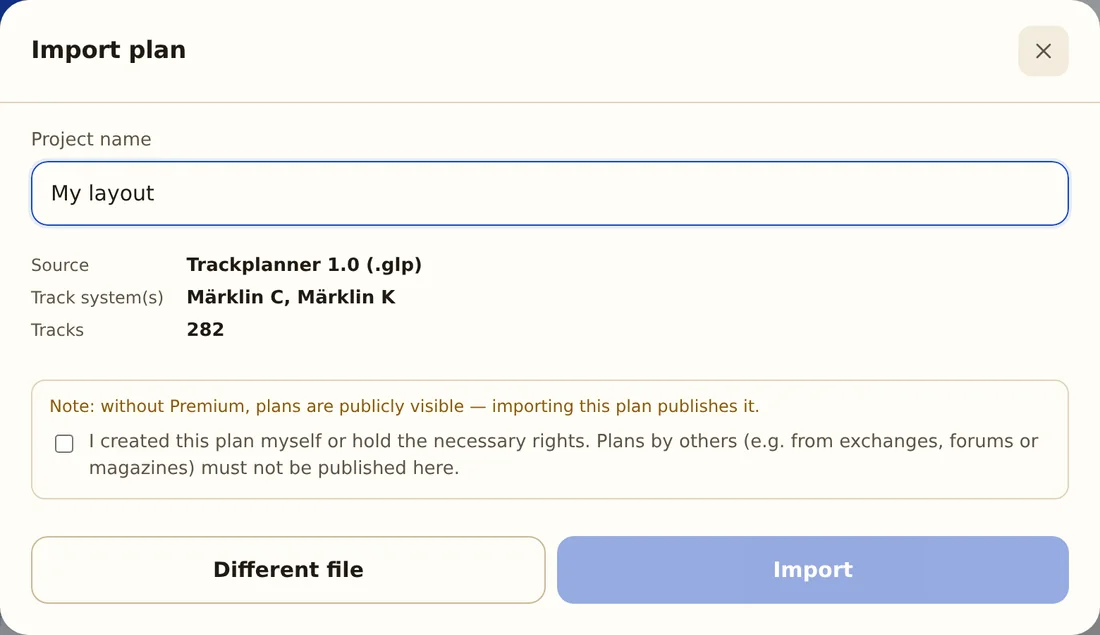
Drag your .any, .tra, .xtc or .glp file into the window. You get a preview right away: the track systems recognised and how many parts were placed.
-
Check the plan
Track, turnouts, flex track and heights come along. The parts list is ready automatically — including your manufacturer’s article numbers.
-
Share the link
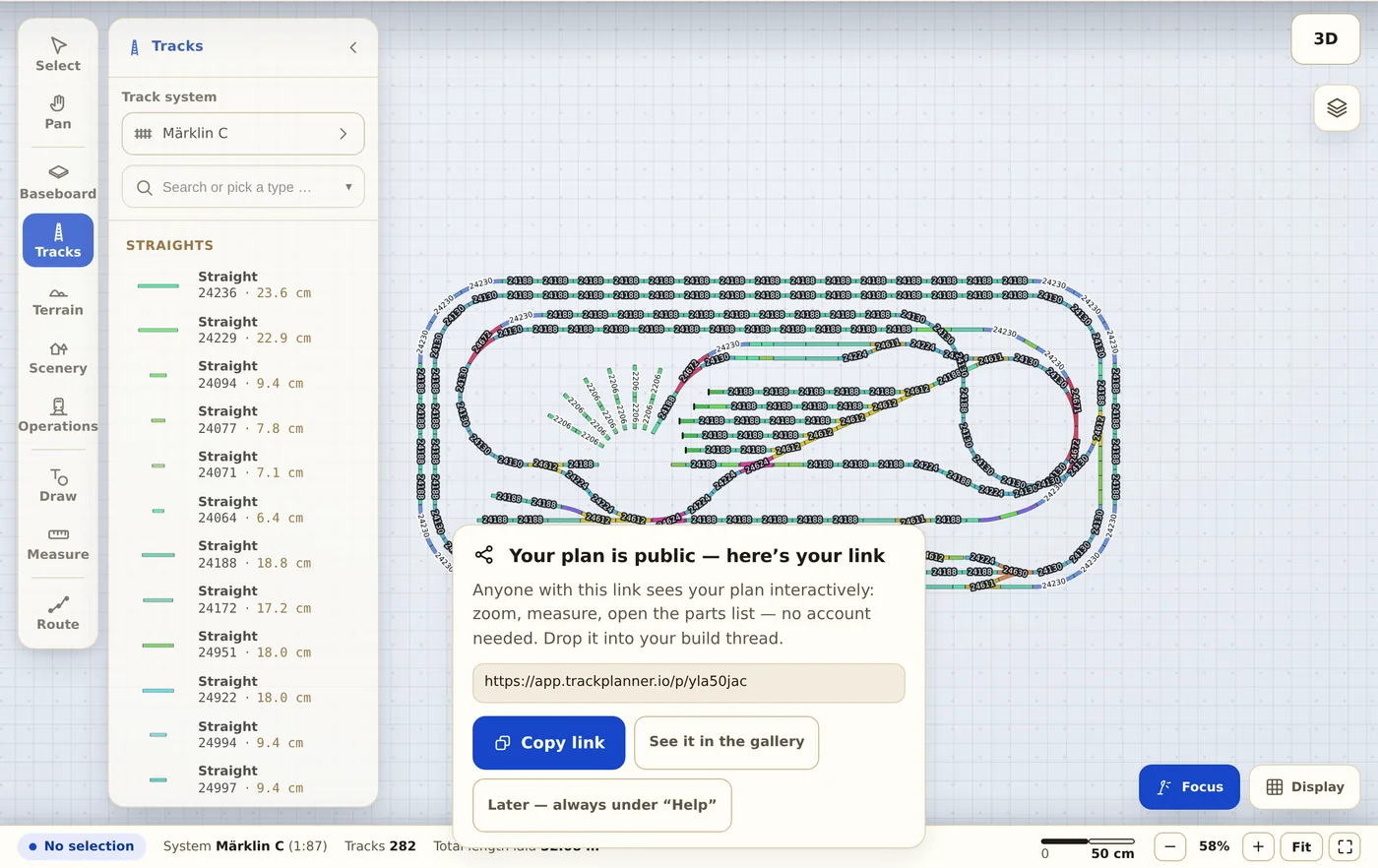
Your plan gets a permanent address. Forum, club or family see it interactively — zoom, measure, browse. No account needed.
Supported formats
Your program is covered
We read the original files — nothing to export, nothing to convert.
.any AnyRail
Both format generations. Track, turnouts and flex track with exact curvature, plus heights and gradients. Areas, lines, labels, measurements and accessories come along.
.tra WinTrack
Track, turnouts (including double slips, three-ways and curved turnouts), heights, gradients and levels. Plus drawings, labels, baseboard, terrain and accessories.
.xtc XtrkCAD
Track, turnouts and freely laid track from the open-source classic, plus heights, levels, drawings and notes. Whatever is not recognised is counted and shown, never silently dropped.
.glp Trackplanner 1.0
Plans from the original Windows version. Files over 20 years old open in the browser — the plan from your youth lives on.
SCARM: in progress.
Your rights
Your plan stays yours. Full stop.
The answers that matter before you upload a file.
Who owns my plan after the import?
You do. You remain the author, your name stays with the plan (profile with attribution). All we get is the right to display it publicly — nothing more.
Can I delete the plan again?
Yes, any time and without discussion. After that it is reachable neither by link nor in the gallery.
Why is my plan public?
In the free account plans are public — that is the deal, and we say it openly: you get permanent hosting and a link, the community gets your plan to look at. If you need private plans, choose Premium.
What happens to my original file?
It is processed for the import and never passed on; the plan is rebuilt from our own track libraries. Only if importing a WinTrack or AnyRail file fails or stays incomplete do we keep it privately for 30 days to find the bug. After that it is deleted.
Does really everything come along?
The track: yes, with exact manufacturer geometry. Accessories and scenery: partly, depending on the format — the import preview tells you honestly how much was placed before you save.
May I import someone else’s plan?
Only with permission. Before a plan goes public you confirm that it is yours or that you hold the necessary rights — on a free account during the import, with Premium when you publish. Plans from magazines or by other authors may only be published with their permission.
Your layout deserves a link.
Import your plan — two minutes later it is online and interactive.
Import your plan now