Your Raily plan, shareable without an installation
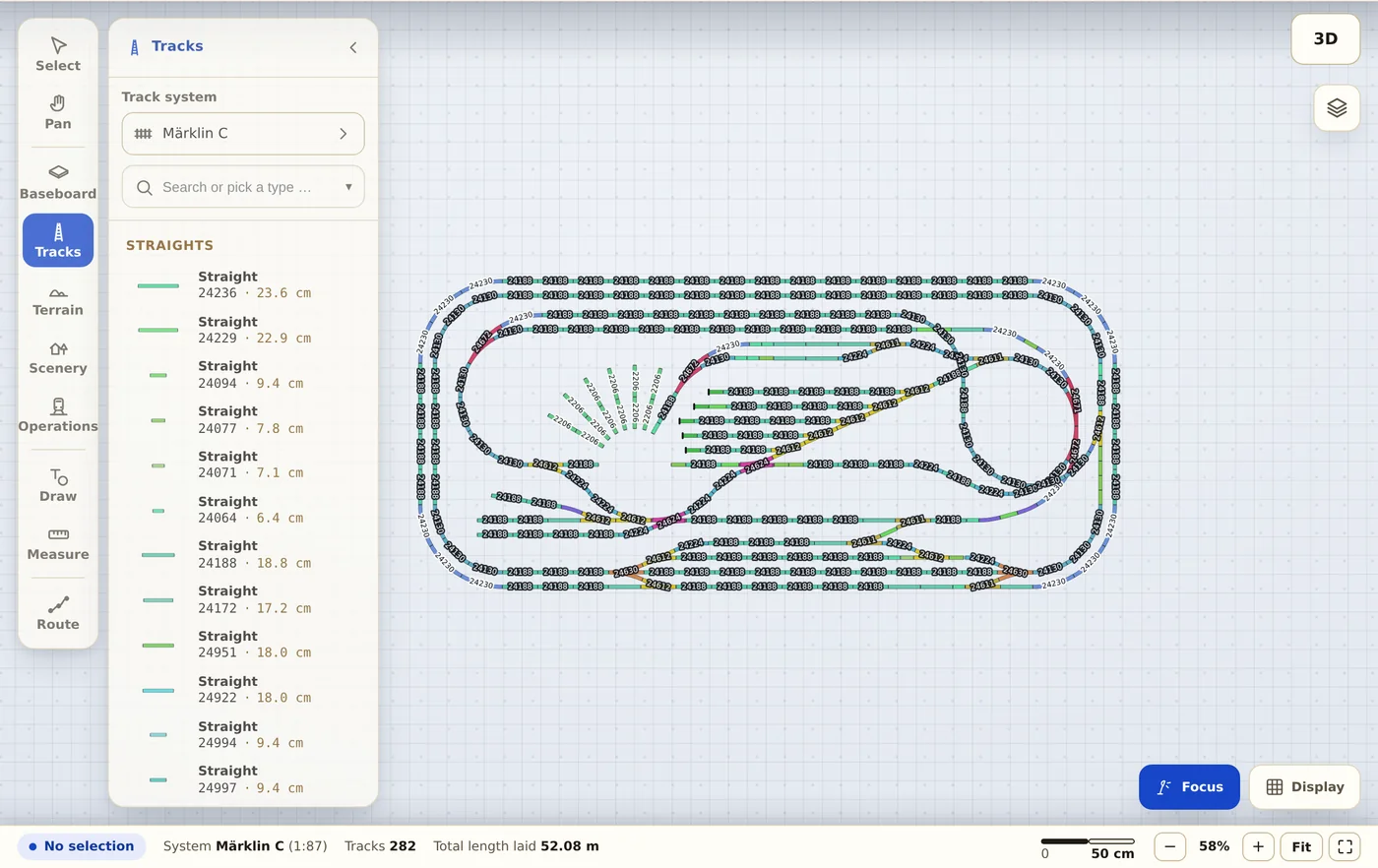
Trackplanner reads the .arf format and re-lays your track with the geometry of real catalogue parts. The plan then runs in any browser — including for people who never installed Raily.
.arf Raily
-
Pick the file
The .arf file is read right in your browser and stays unchanged on your machine. If the plan has heights or levels and you don't have Premium, it goes to our server once for confirmation.
-
Read the preview
You see the recognised systems and the number of placed parts. Whatever is not recognised is counted and shown, never silently dropped.
-
Share the link
Share the plan in a forum or on your club’s page — and keep tinkering on it together.
What comes across from Raily
- Track and turnouts, matched to real catalogue articles — checked against Raily's own inventory list.
- The parts list with article numbers and lengths.
- Hand-laid track as flex track, with exactly the curve you drew.
- The tabletop as a baseplate, plus drawings, labels, heights and levels.
- Structures, trees and catenary masts as accessories.
Before you upload a file
Who owns my plan after the import?
You do. You remain the author, your name stays with the plan (profile with attribution). All we get is the right to display it publicly — nothing more.
Why is my plan public?
In the free account plans are public. That is the deal: you can show your plan and tinker on it with others, the community gets your plan to look at. You can delete it at any time. If you need private plans, choose Premium.
Does really everything come along?
The track: yes, with exact manufacturer geometry. Accessories and scenery: partly, depending on the format — the import preview tells you how much was placed before you save.