Switching from AnyRail
Work in progress: This section is still a work in progress — content is being added and revised continuously.
Planning with AnyRail so far? Trackplanner reads AnyRail files directly — nothing to export, nothing to convert. Here’s how to bring your plan over, and what does and doesn’t come across.
Step 1 — Find the plan file
AnyRail saves every plan as a file ending in .any. Save the plan in AnyRail as usual
and note the folder. The import reads files from AnyRail 7 and from all older
versions (AnyRail 6, 5 and earlier).
Step 2 — Import the file
Sign in, open “Import a plan” on the start page and drop the .any into the window. The
file is read on our server; to turn it into a plan you need an account.
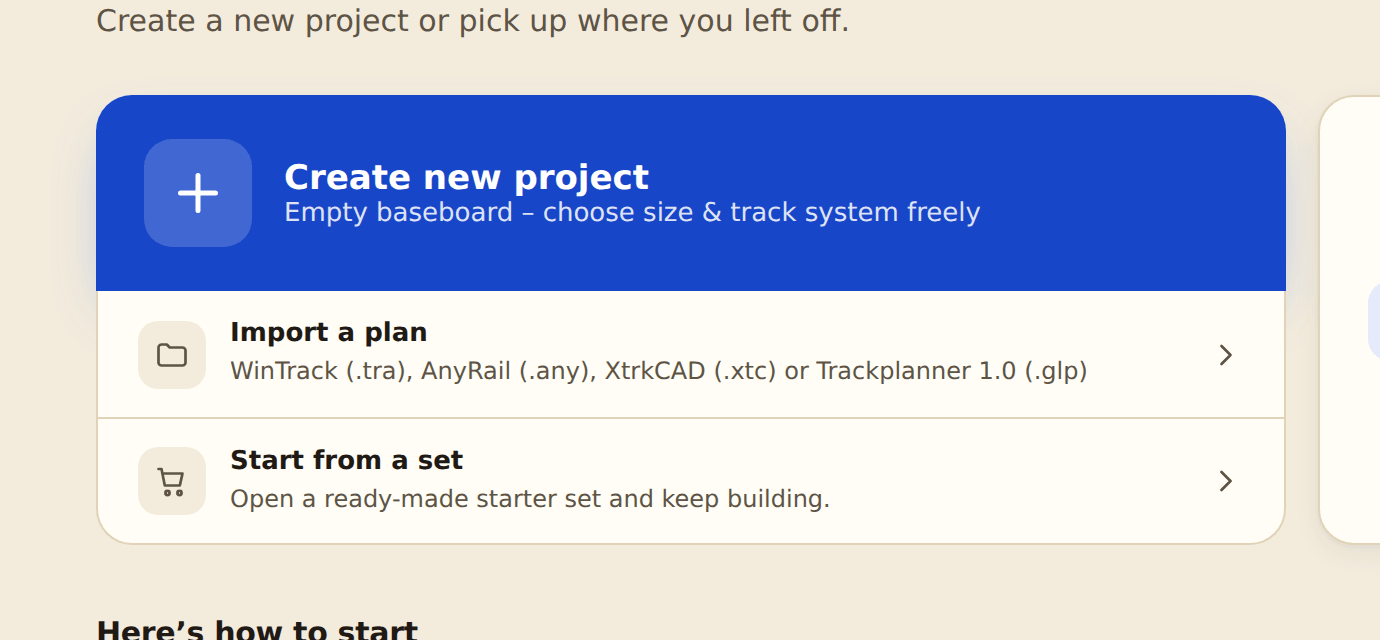
The preview shows the detected track system and how many objects will be imported. Below that, a short report lists what comes along besides the tracks, what is dropped and which parts couldn’t be matched. “Import” turns it into a new plan.
Step 3 — What comes across (and what doesn’t)
Trackplanner recognises the track system from the AnyRail library code and rebuilds the plan from our libraries.
These track systems are recognised: Piko A, Roco geoLine, Roco Line (with and without roadbed), Märklin K, Märklin Z, Fleischmann Profi, Fleischmann model track, Fleischmann piccolo, Minitrix, Arnold N, Trix Express, Peco (HO Setrack/Streamline, N Code 80 Setrack/Streamline, N Code 55), Atlas (HO Code 100/83, N Code 80), Kato Unitrack N, Hornby (Standard and Dublo), Bachmann E-Z Track, Lionel FasTrack, Shinohara Code 100.
Not recognised yet are, among others, Märklin C, Märklin M, Tillig and Piko N. If a plan consists only of such tracks, the import stops with “The track system … is not supported (yet)”. If it mixes recognised and unrecognised systems, the recognised part comes across and the rest counts as unknown parts.
Imported:
- Tracks with a part number — straights, curves, turnouts, crossings, turntables, each with its connections.
- Flex track with its exact bend.
- Heights and gradients on the track.
- Layers with name and visibility.
- Areas and lines with fill and outline colour, and text with colour, size, rotation and font. Areas, lines and text come from every AnyRail version; in very old files (AnyRail 4 and earlier) outline colour, font and text size are missing.
- The baseboard (AnyRail’s tabletop) — only for files from AnyRail 7.
- Rulers as measurements.
- Scenery and accessories — trees, bushes, hedges, signals and buildings become accessory objects wherever we have a matching model.
Not imported:
- Accessories without a matching object — the report counts what is dropped.
- Tunnel and bridge display, electrical blocks and the work area.
- Heights of areas — areas lie flat.
- Measurements on hidden layers.
- Unknown parts — tracks we don’t have in our library (yet) are left out. The report in the preview lists them by part number.
Without Premium you keep imported layers, heights and gradients and see them in 3D; editing them needs Premium.
Step 4 — Review the plan check
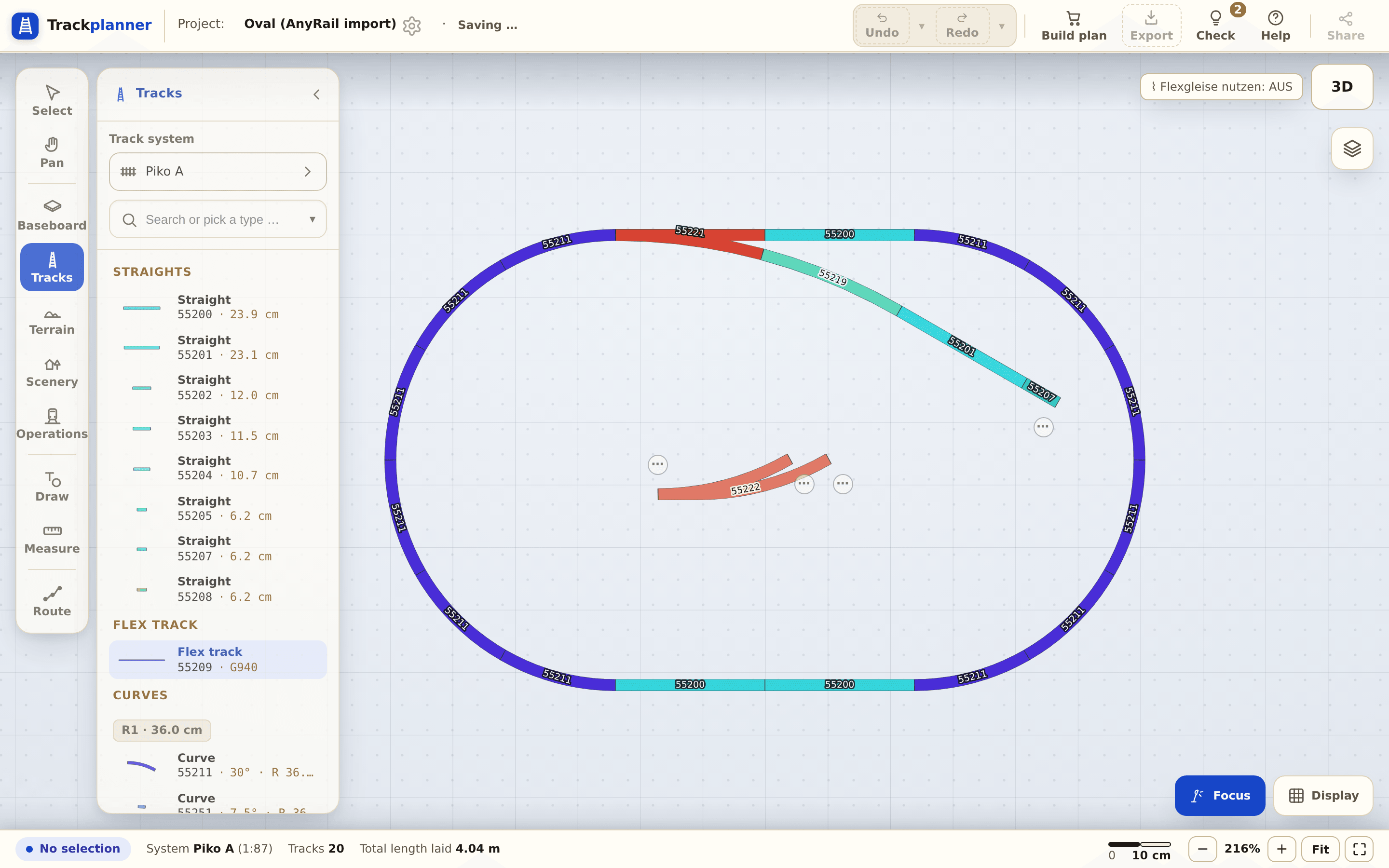
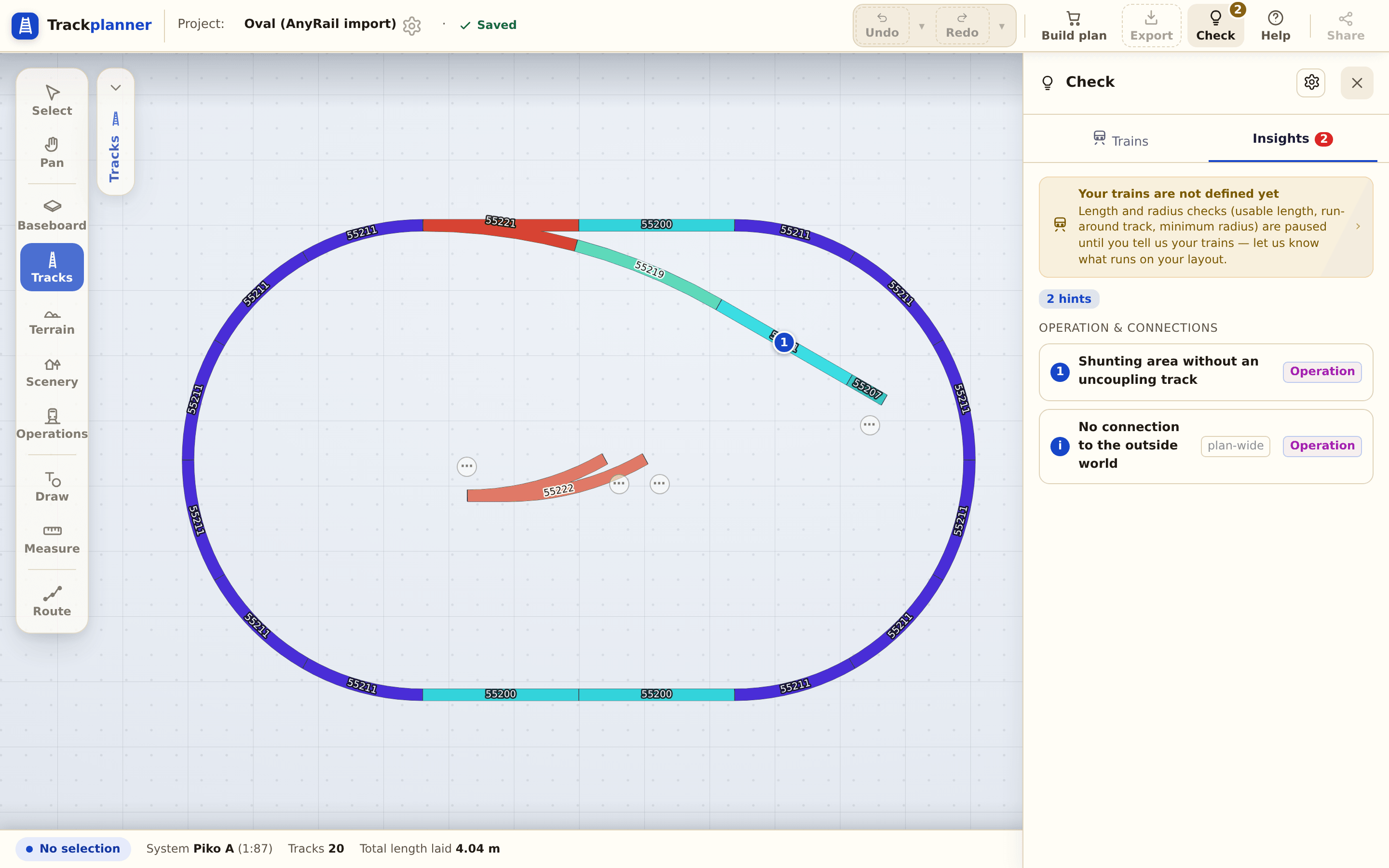
After importing, open the plan check: do all rail joints sit cleanly, are the radii sound (mind the minimum radius)? Gaps from unknown parts show up in the plan as open ends (⋯).
Why does this work? The legal position in brief
Your track plan is your work — not the work of the program you drew it in. European law is clear that Trackplanner may read it:
- The file format is not protected as a program. The Court of Justice of the EU ruled that neither the functionality of a computer program nor the format of its data files enjoys the protection copyright gives the program itself (judgment of 2 May 2012, case C‑406/10, SAS Institute). Reading a file format does not copy a program.
- Interoperability is intended. The EU Software Directive (2009/24/EC) allows observing, studying and testing how a program works (Art. 5(3)) and — where necessary — even decompiling its code so that independent programs can work together (Art. 6). A licence agreement cannot exclude these rights (Art. 8). In German law they are §§ 69d, 69e and 69g UrhG.
- The other program isn’t needed. Trackplanner contains and ships none of the other program’s code; it doesn’t have to be installed for the import. From your file we read which track sits where and rebuild the plan with the tracks from the Trackplanner library.
- We may use the name. Stating factually which files a product can read uses another company’s trademark to refer to its product — trademark law allows this as long as it is in line with honest practices (Art. 14 of the EU Trade Mark Regulation; § 23(1) no. 3 and (2) of the German Trade Mark Act).
AnyRail is a trademark of its owner; Trackplanner is not affiliated with its maker.
The condition is on your side: import your own plans. You may not publish a plan someone else designed — from a forum, a plan exchange or a magazine — as your own. Without Premium, plans are publicly visible, which is why you confirm during the import that the plan is yours.
What’s next?
- From other programs too: Switching from WinTrack · Switching from XTrackCAD.
- Start the series: First oval with a siding.
- More on this: Minimum radius.