The train profile in detail
Work in progress: This section is still a work in progress — content is being added and revised continuously.
The train profile tells the plan check what actually runs on your layout — turning default assumptions into real numbers. Here you create train categories, read the fit check and understand the minimum-radius recommendation.
Step 1 — Create a train category
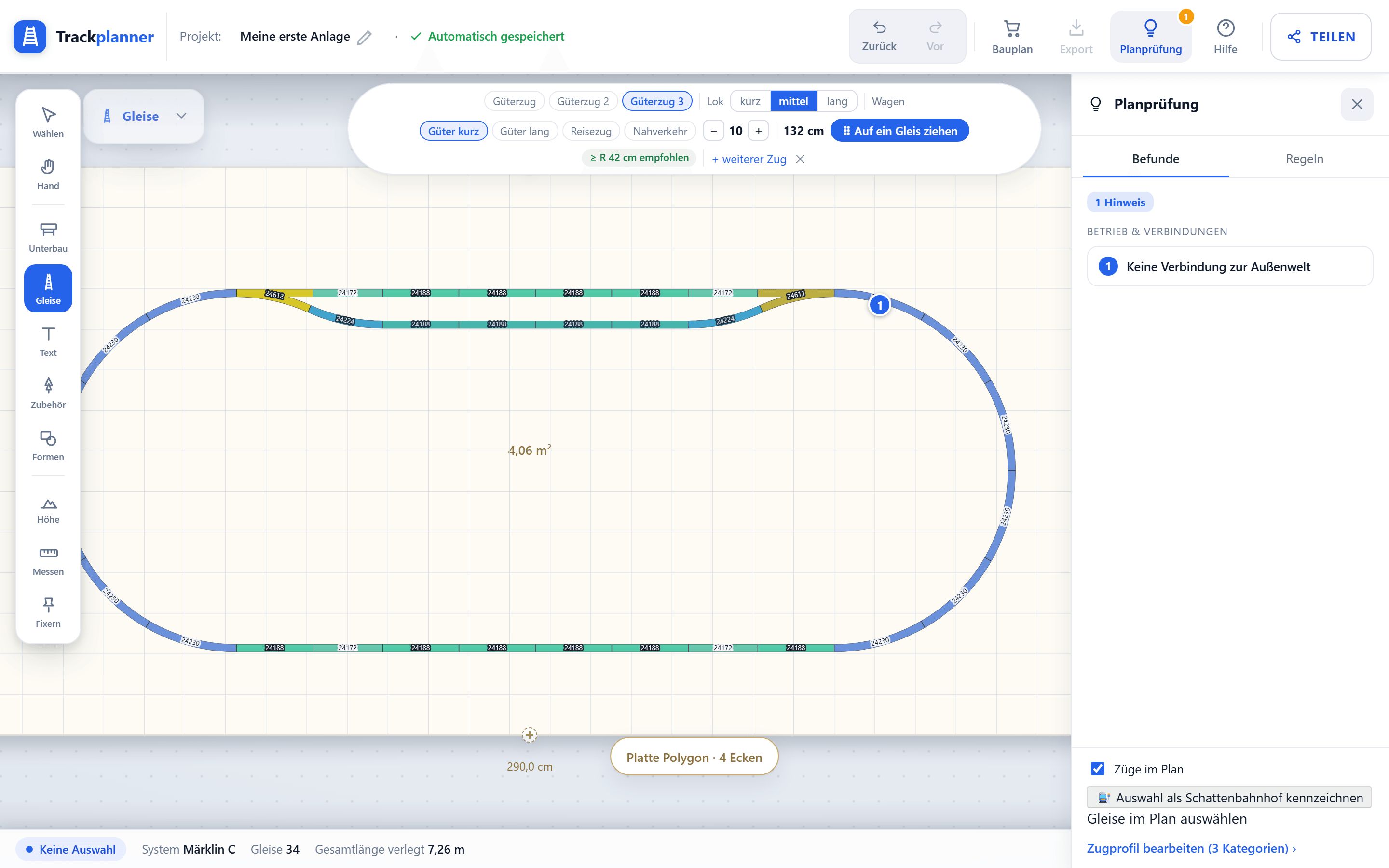
Open the train profile and create a train category — from a loco and cars in the kit. Enter the number of cars; Trackplanner adds up length over buffers and total length.

Step 2 — Read the fit check
Place the category on a track: the fit check shows green when the train fits the usable length, and reports an overhang when it’s too long. At a glance you see which siding is long enough for which train.
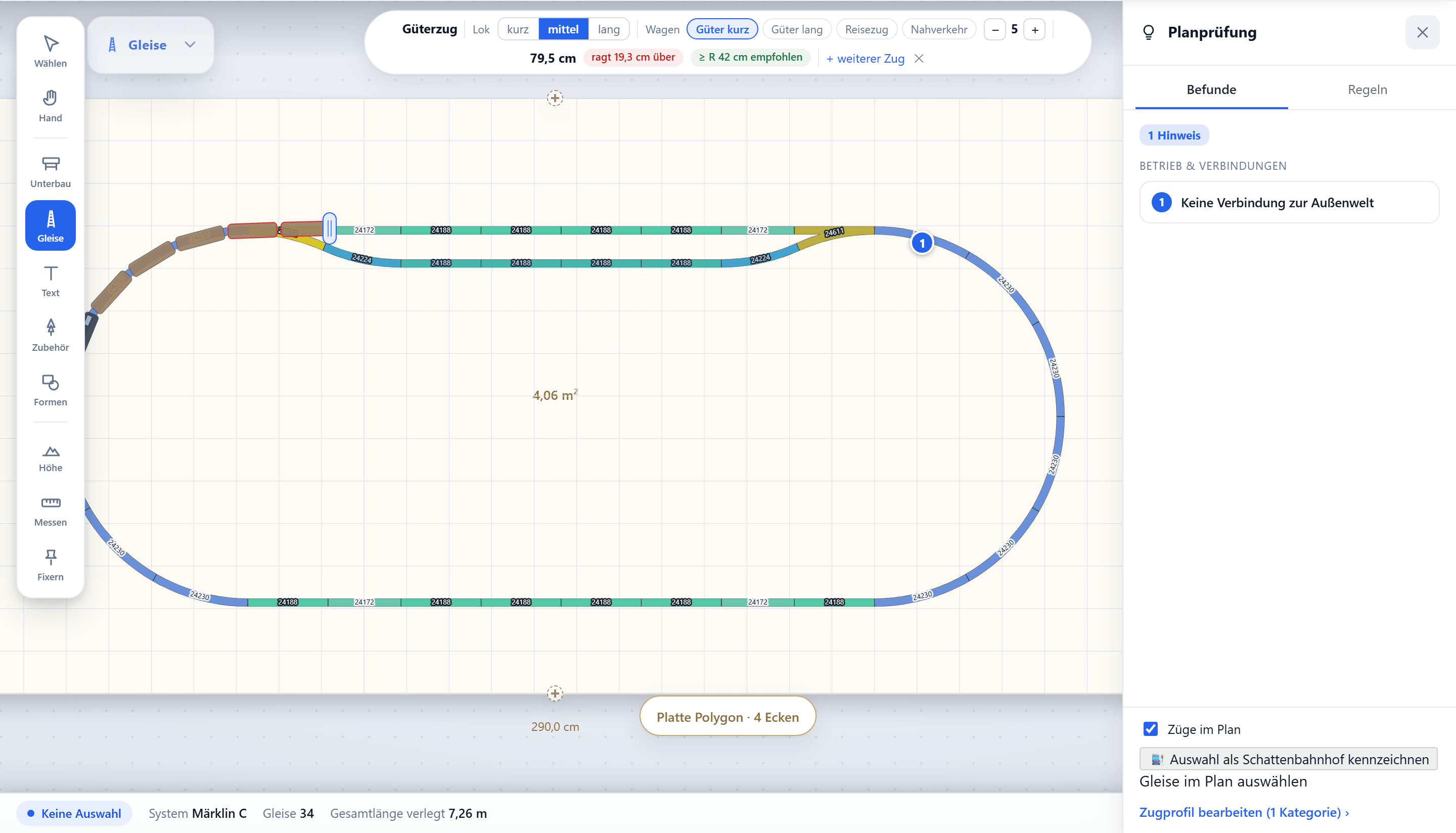
Step 3 — Minimum-radius recommendation
From the longest vehicles Trackplanner derives a minimum-radius recommendation — long passenger coaches need more radius than a short shunting loco. Stay above this value in the plan and the category runs cleanly.

Step 4 — Several categories
For operation, feel free to create several categories (freight, local, express). The plan check tests each against your tracks — so you know which train can run and stop where.
What’s next?
- Back to the series: Run trains & spot problems.
- More on this: Minimum radius · Usable siding length.